
Overwatch has dominated the competitive gaming landscape since 2016, and now Android players are waiting with bated breath for the chance to jump into the action on their mobile devices. The prospect of playing Blizzard’s beloved team-based shooter on the go has generated serious buzz in the Android community, but the reality of getting Overwatch on your phone is more nuanced than a simple “download and play.” Whether you’re a hardcore competitive player or someone who just wants to kill time between matches on other platforms, understanding what’s actually available, how to access it, and what to expect from mobile Overwatch is crucial. This guide breaks down everything you need to know about Overwatch on Android, from current availability to gameplay mechanics to what the future might hold.
Table of Contents
ToggleKey Takeaways
- Overwatch Android is currently accessible through cloud gaming services like Xbox Cloud Gaming and GeForce Now, not as a native app on the Google Play Store.
- A stable internet connection (25+ Mbps recommended) and a Bluetooth controller are essential for smooth cloud-based Overwatch gameplay on Android devices.
- Cloud-streamed Overwatch on Android delivers identical hero mechanics, ranked progression, and cosmetics as PC and console versions thanks to unified Battle.net account integration.
- Android players will experience slightly higher latency and input lag compared to console/PC due to cloud streaming overhead, but skilled players can still achieve competitive rankings with proper optimization.
- A native Overwatch Android app may arrive by 2027 or later, though cloud gaming remains the most practical current solution for playing Overwatch on mobile devices.
What Is Overwatch and Why The Android Community Is Excited
Overwatch is a fast-paced, team-based first-person shooter developed by Blizzard Entertainment that emphasizes hero-based gameplay, objective-driven matches, and coordinated teamwork. Each of the 40+ heroes brings unique abilities, playstyles, and roles, from damage dealers to tanks to supports, creating countless team composition strategies and tactical opportunities. The game launched in 2016 on PC, PlayStation, and Xbox, establishing itself as a pillar of competitive esports with massive tournaments, professional leagues, and a dedicated global audience.
Android players have long expressed enthusiasm for a native Overwatch port because mobile gaming has evolved dramatically. High-end Android devices now rival console performance, and the competitive gaming community has proven that complex, team-oriented games work on mobile platforms. Bringing Overwatch to Android would give millions of players access to Blizzard’s flagship shooter without requiring a gaming PC or console, democratizing entry to one of esports’ most prestigious franchises. The Android community sees Overwatch mobile as the next logical step in the game’s expansion, especially as rivals like Call of Duty and other shooters have already established mobile presence.
The excitement stems partly from FOMO (fear of missing out) on content and the allure of practicing with heroes wherever they are. Competitive players dream of grinding rank during commutes: casual fans just want to experience the Overwatch universe on their terms. That potential accessibility explains why every rumor, leak, and official announcement about Android Overwatch generates immediate discussion across forums, Reddit, and social media.
Current Status of Overwatch on Android Devices
Official Release Information and Timeline
As of March 2026, there is no official native Overwatch application available directly on the Google Play Store for Android. Blizzard has not announced a confirmed release date for a dedicated Android version. But, the company has explored mobile Overwatch through limited partnerships and experimental programs.
In the past, Blizzard tested Overwatch on mobile platforms in select regions through cloud gaming initiatives, but these were often region-locked and required specific hardware or subscription services. The development roadmap has shifted focus toward Overwatch 2’s free-to-play model, seasonal content updates, and crossplatform stability rather than a traditional mobile standalone release. This doesn’t mean Android players are completely shut out, it just means the path to playing Overwatch on Android is indirect.
Blizzard’s priorities have centered on maintaining Overwatch 2’s PC and console versions, which remain the core competitive platforms. The mobile market presents technical, balance, and monetization challenges that require careful planning, which may explain the cautious approach. Industry insiders speculate that a full Android release could arrive in the coming years, but nothing is officially confirmed as of early 2026.
Regional Availability and Platform Support
Cloud gaming services (discussed in detail below) offer the most viable route to Overwatch on Android currently, and their availability varies by region. Services like Xbox Cloud Gaming, GeForce Now, and PlayStation Plus Premium with cloud support are available in most developed markets but may be restricted in some countries due to licensing, infrastructure, or regulatory issues.
Android’s fragmentation means compatibility depends heavily on the specific device, OS version, and connection quality rather than blanket platform support. A flagship Android phone running the latest OS will handle cloud streaming far better than a mid-range device from three years ago running Android 11. Regional server placement also affects latency, players in Europe or North America have better infrastructure than those in parts of Asia or Africa, influencing whether cloud Overwatch is actually playable in their area.
Blizzard’s official stance remains that the best Overwatch experience exists on PC, PlayStation 5, PlayStation 4, and Xbox Series X
|
S. Android hasn’t received official tier-one support, which is why the community continues to search for workarounds and alternatives.
How to Access Overwatch on Android: Available Options
Cloud Gaming Services and Streaming Solutions
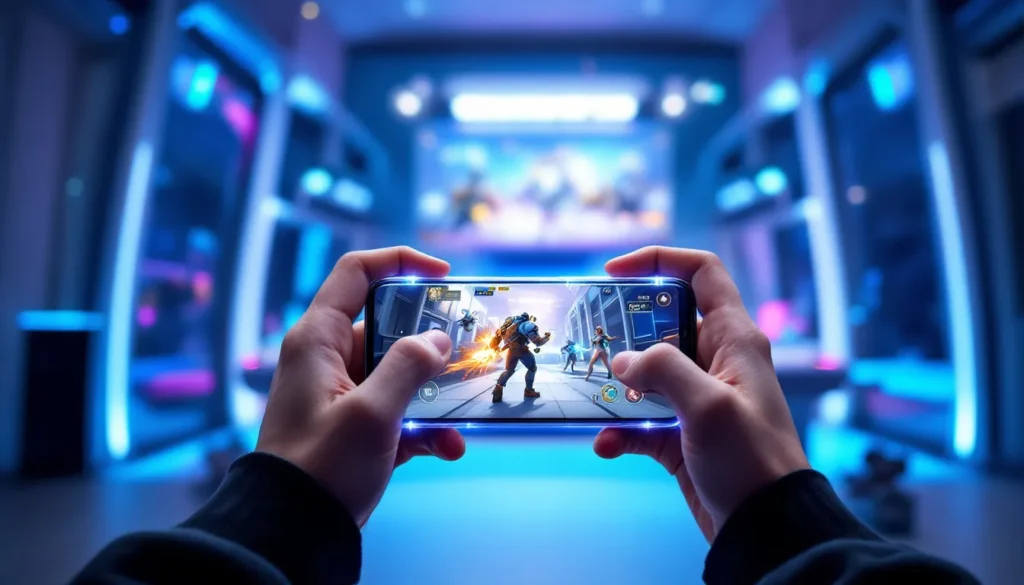
The most practical way to play Overwatch on Android right now is through cloud gaming platforms that stream the game from remote servers directly to your phone. Here’s what actually works:
Xbox Cloud Gaming: This is arguably the most accessible option for Overwatch players. If Overwatch 2 is available in your region’s Xbox Game Pass library (which it is in most territories), you can stream it to Android via the Xbox app or the Xbox Cloud Gaming app. You’ll need an Xbox Game Pass Ultimate subscription (~$16.99/month) and a stable internet connection (minimum 10 Mbps recommended). The Overwatch on Xbox Game Pass integration makes this approach seamless for existing Game Pass subscribers.
NVIDIA GeForce Now: This cloud gaming service lets you stream games you own from your PC or purchased through specific launchers (Battle.net for Overwatch). Blizzard’s inclusion in GeForce Now’s library means you can play your own copy of Overwatch on Android if you own it on Battle.net. The free tier offers 1-hour sessions with occasional waits: paid membership (~$9.99/month) offers longer sessions and better performance tiers.
PlayStation Plus Premium: While primarily a PlayStation service, PlayStation Plus Premium includes cloud streaming for PS5 games. If Overwatch 2 is in the PlayStation Plus catalog in your region, you can stream it to Android via the PlayStation app. This is region-dependent and not universally available everywhere.
Other Services: Parsec, Moonlight, and similar streaming solutions allow technically savvy players to stream Overwatch from their own PC to Android, but these require home streaming setup or a VPS, making them more complex.
The catch with all cloud solutions is that they’re only as good as your internet connection. A laggy or unstable connection ruins the experience, especially in a competitive game like Overwatch where milliseconds matter. Wired internet or very strong 5GHz Wi-Fi is strongly recommended.
Mobile Versions and Spinoff Titles
Blizzard released Overwatch Legendary Cards as a spinoff mobile title in the past, but this is a collectible card game, not the core Overwatch shooter. It’s a completely different beast gameplay-wise and doesn’t offer the hero combat experience Android players really want.
There’s also Overwatch: Heroes of the Storm integration on mobile through Heroes of the Storm’s occasional crossover events, but again, this is playing a different game with Overwatch cosmetics rather than playing actual Overwatch.
As of 2026, no official free-to-play mobile version of core Overwatch exists on the Google Play Store. The cloud gaming route remains the only legitimate way to access the actual Overwatch 2 shooter on Android.
Device Requirements and Compatibility Guide
Minimum and Recommended Specifications
To play Overwatch on Android smoothly, whether through cloud gaming or a theoretical future native release, you need hardware capable of handling demanding visuals and responsive input. Here’s what you’re looking at:
Minimum Requirements (Cloud Gaming):
- Processor: Snapdragon 765 or equivalent (2019-era flagship or newer mid-range)
- RAM: 6GB
- Screen: 6-inch or larger (smaller screens make aiming harder)
- Connection: 10 Mbps download speed minimum, stable Wi-Fi or 5G preferred
- Android Version: Android 9 or later
Recommended Setup (Optimal Cloud Gaming Experience):
- Processor: Snapdragon 8 Gen 2 or equivalent current-gen flagship
- RAM: 12GB or more
- Screen: 6.7-inch or larger with 120Hz+ refresh rate (dramatically improves feel)
- Connection: 25+ Mbps download, low-latency network (under 50ms ping ideal)
- Android Version: Android 13 or later
- Storage: 10-20GB free space for app caching and updates
The processor and RAM matter because they affect how smoothly the phone can decode and display the streamed video without stuttering. The screen size and refresh rate directly impact aim quality, a 120Hz display makes tracking enemies noticeably smoother than 60Hz. Connection quality is non-negotiable: even a slight hiccup causes input lag, which is disastrous in a competitive shooter.
Popular phones that handle cloud Overwatch well include the Samsung Galaxy S24 Ultra, Google Pixel 8 Pro, OnePlus 12, and other flagship Android devices from 2023 onwards. Mid-range phones from 2021-2023 (like the Galaxy A54 or Pixel 6a) can manage cloud Overwatch but may experience occasional stutters during intense teamfights.
Performance Optimization Tips
Network Optimization:
- Use 5GHz Wi-Fi instead of 2.4GHz, it’s faster and less congested
- Connect within 10-15 feet of your router for best signal
- If using mobile data, 5G is dramatically superior to 4G LTE
- Avoid sharing bandwidth with others during gameplay (pause downloads, turn off other devices)
- Close background apps that consume network resources
Device Optimization:
- Disable background app refresh for apps you’re not actively using
- Lower screen brightness slightly to reduce thermal load (phone stays cooler)
- Enable developer mode and set “Stay Awake” to prevent screen lock during matches
- Close unnecessary background apps before launching the cloud gaming service
- Use a phone stand to avoid overheating from hand contact
- Consider a clip-on cooling fan for extended gaming sessions
Cloud Gaming Settings:
- Start with resolution set to “Balanced” or “Performance” rather than “Ultra” to reduce latency
- Higher bitrate looks better but requires more bandwidth and increases delay
- Experiment with your personal latency threshold: some players are fine with 100ms, others get frustrated above 60ms
- Use wired controllers or high-quality wireless controllers (Bluetooth lag affects aim) rather than touch controls
Game Settings:
- Lower in-game graphics settings even on cloud to reduce overall pixel-pushing (helps with perceived smoothness)
- Reduce enemy outline glow intensity if it causes visual noise
- Increase your mouse sensitivity or stick sensitivity to compensate for any input lag
- Disable motion blur and other effects that can worsen perceived latency
Gameplay Features and What to Expect
Hero Selection and Team Mechanics
Overwatch’s gameplay revolves around selecting one of 40+ heroes split across three roles: Tanks (frontline protectors like Reinhardt and Sigma), Damage (offense-focused heroes like Tracer and Widowmaker), and Supports (healers and utility like Mercy and Lúcio). Each hero has unique primary and secondary abilities, ultimate abilities that charge over time, and passive traits.
Mobile Overwatch plays identically to console versions in terms of hero mechanics, team composition rules, and objective gameplay. You’ll still form 5v5 teams, push payloads, capture objectives, and coordinate ability usage to win fights. The core meta, which heroes are strong in the current patch, which team compositions dominate, remains exactly the same whether you’re playing on Android via cloud or on a gaming PC.
What changes is the input method, which we’ll cover below. The strategic depth remains untouched: ultimate economy, positioning, health pool awareness, and team communication are all equally critical on mobile. A well-coordinated mobile team with proper mic communication will beat a mechanically superior silent team every time.
Controls and Mobile Adaptation
Controls are where cloud-streamed Overwatch differs from native versions. You have several input options:
Bluetooth Controller (Recommended):
- Pairs with your Android phone via standard Bluetooth
- Provides full analog stick control for aiming, movement, and ability selection
- Compatible controllers: Xbox controllers, PlayStation 5 DualSense, 8BitDo Pro 2, and others
- Latency is minimal if paired locally: wireless is seamless
- Best practice: Use a controller grip or stand to hold your phone at screen level
Touch Controls (Not Recommended for Competitive):
- Two-thumbstick layout (left for movement, right for aiming) or custom layouts
- Feels awkward compared to controller input and introduces more input latency
- Works for casual matches but handicaps you significantly in ranked
- Aim sensitivity requires constant adjustment due to smaller screen space
Mouse and Keyboard (Via USB-C Adapter):
- Technically possible with USB adapters but impractical on a phone
- Makes sense only if you’re docked to an external monitor
- Introduces cable management hassle
Most competitive Overwatch players on Android use a Bluetooth controller, which gives them parity with console players’ input methods. The controller layout is identical to console Overwatch (Xbox or PlayStation button mapping), so console players transition seamlessly. Touch controls exist as a fallback for non-competitive play but frankly feel clunky even for casual matches.
One consideration: latency from cloud streaming plus input lag from wireless controllers compounds. If your total system latency exceeds 100-120ms (ping + controller lag + decoding), aiming becomes noticeably difficult. This is why wired controllers or very low-latency wireless options matter.
Overwatch Android vs. Console and PC Versions
Key Differences in Gameplay and Features
The most important distinction: cloud-streamed Overwatch on Android runs the exact same game code as PC and console versions. You’re not playing a mobile-optimized spinoff: you’re playing the full Overwatch 2 client streamed to your phone. This means:
- Patch parity: You receive updates simultaneously with other platforms
- Competitive ranking: Your rank is tied to your Battle.net account across all platforms
- Hero balance: Every nerf, buff, and rework applies universally
- Season events: Limited-time events, new heroes, and map releases hit all platforms at once
What does differ is the input experience. A controller on Android lacks the ergonomics of a full console setup: you’re holding a phone, which is smaller and less stable than a controller. Your monitor/phone screen is smaller, reducing visual information you can track simultaneously. These factors combine to make competitive performance slightly harder on mobile.
Another practical difference: party systems and voice chat. Depending on your cloud service, voice chat may route through your phone’s mic rather than a dedicated headset mic input. This can degrade audio quality for teammates, especially if you’re outdoors or in a noisy environment.
The progression system is entirely unified. XP, battle pass progress, cosmetics, and competitive SR all sync across platforms instantly. If you grind ranked on Android during the day and switch to PC at night, everything carries over.
Performance and Graphics Comparison
Performance on Android cloud Overwatch depends entirely on your internet connection and cloud service’s server quality, not your phone’s GPU. The remote server handles all heavy lifting: your phone just decodes video and sends controller input.
Latency Breakdown:
- Network ping: 10-50ms (great fiber or local 5G to poor 4G)
- Cloud service encoding: 5-15ms (how fast the server encodes video)
- Decoding on phone: 5-10ms (how fast your phone processes it)
- Bluetooth controller lag: 5-30ms (wired is ~5ms, wireless is 20-30ms)
- Total: Typically 25-105ms end-to-end latency
Console Overwatch on PS5 or Xbox Series X runs at 120 FPS with 40-60ms latency. PC gamers with good setups achieve 240+ FPS with 20-40ms latency. Cloud Overwatch tops out at the service’s maximum (usually 60 FPS) but adds streaming latency. The result: cloud Android Overwatch feels slightly more sluggish than console/PC for aim-intensive tasks like playing Widowmaker or McCree.
Graphics Quality:
Cloud services stream at up to 4K resolution on capable phones, but your 6-inch screen doesn’t render the same visual clarity as a 27-inch monitor. You’re actually getting less visual information density because enemy players appear smaller, making it harder to track them. The streamed image quality is set by your cloud service (usually 1080p-4K), not your phone’s GPU, so a flagship phone displays the same stream quality as a mid-range device, it’s all about connection speed.
Frame Rate:
Most cloud services cap streams at 60 FPS due to codec limitations. This feels notably less smooth than console’s 120 FPS or competitive PC’s 144-240 FPS. In fast-paced moments with multiple heroes, the 60 FPS cap becomes noticeable. You’re not losing actual game performance, the server still runs at full frame rate, but your visual feedback is capped.
Bottum line: Android cloud Overwatch is fully competitive-viable but at a slight disadvantage compared to console/PC setups due to latency, smaller screen, and lower FPS. A player skilled enough to hit Grandmaster on PC will likely rank slightly lower on Android until they adapt to the input constraints.
Cross-Platform Play and Account Linking
Overwatch 2’s unified account system means Android players are fully integrated into the broader ecosystem. Everything ties to your Battle.net account, which is Blizzard’s universal login across PC, console, and mobile cloud gaming services.
How Account Linking Works:
When you log into Overwatch 2 on any platform (including Android via cloud gaming), you’re accessing the same account. Your cosmetics, competitive SR rank, battle pass progress, achievement history, and friendship list are synchronized instantly. This is dramatically different from games that separate mobile from console/PC, which creates fragmented progression.
To access Overwatch on Android via cloud gaming, you simply:
- Sign into the cloud gaming service (Xbox Game Pass, GeForce Now, PlayStation Plus) with your account credentials
- Launch Overwatch 2 from the service’s library
- When the game starts, it automatically logs you into your Battle.net account
- You’re immediately in your account, same SR, same cosmetics, same everything
No re-linking required: it’s seamless because the cloud is just a delivery mechanism, not a separate game instance.
Cross-Platform Matchmaking:
Overwatch 2 uses role-based queue matching, meaning the matchmaker fills a team based on roles needed (Tanks, Damage, Support) regardless of platform. An Android player could queue into a match alongside PC, console, and mobile players simultaneously. The matchmaker doesn’t care what platform you’re on: it cares about your SR and role.
This creates an interesting dynamic: a player grinding ranked on Android is competing in the same ranked ladder as everyone else. There’s no separate “mobile competitive” league: it’s all unified. Your SR is yours across all platforms, and you can climb or fall regardless of which device you’re using.
Advantages and Concerns:
The unified system is fantastic for accessibility, you’re never locked out of your progression because you switched devices. It’s terrible for competitive balance because console/PC players have input advantages. Blizzard’s response has been to trust that the skill gap naturally accounts for this: a high-ranked player on PC will still beat a similarly-ranked Android player due to superior mechanics, not just input differences.
Some players worry about Android players queueing into competitive matches and dragging down teams. In practice, this is minimal because players who can’t handle their platform’s input constraints naturally rank lower, self-selecting out of high-tier games where Android’s limitations matter most. If someone climbs to 3500 SR on Android, they’re skilled enough that the platform isn’t holding them back.
Party Play Across Platforms:
You can team up with friends on any platform. An Android player via cloud, a PC player, and two console players can queue together without issues. The party system handles cross-platform communication, and ranked matches accommodate mixed-platform teams. This is one of Overwatch 2’s strengths compared to games with fragmented playerbases.
Voice chat quality may degrade if the Android player uses their phone’s built-in microphone rather than a dedicated headset, but that’s a personal equipment issue, not a platform limitation.
Tips and Strategies for Success on Mobile
Control Customization and Sensitivity Settings
Successfully playing Overwatch on Android starts with optimizing your controls. Unlike console versions, which have standardized controller layouts, you have flexibility in how you map abilities and adjust aiming parameters.
Sensitivity Configuration:
- Aim sensitivity: Start at 80-100% of your preferred PC/console sensitivity, then adjust down if you experience overshooting. Cloud latency makes high sensitivity twitchier
- Look speed: Many Android players benefit from slightly slower look speed than they’d use on console due to smaller screen and compounded latency
- Deadzone: Set to 5-10% to avoid stick drift issues and prevent unintended movement
- Trigger sensitivity: Adjust ability activation sensitivity if you’re missing quick-casts
Button Remapping:
- Assign ultimate ability to the easiest-to-reach button on your controller (often a shoulder button instead of Y/Triangle)
- Put frequently-used abilities (healing, dashes, shields) on face buttons where your thumbs naturally rest
- Test different layouts during practice sessions: what works for one hero might not work for another
- Many Android players use “hold to aim” toggle instead of toggle ads for comfort during longer matches
Practice Drills:
- Start in Practice Range and test different sensitivity values for 15 minutes each, logging which feels smoothest
- Play several quick play matches with a new sensitivity before committing to ranked
- Dedicate 30 minutes of aim training (vs bots) before jumping into competitive after adjusting controls
Best Practices for Mobile Competitive Play
Pre-Match Setup:
- Close all background apps and apps using internet bandwidth before queuing
- Connect to your most reliable Wi-Fi source (nearest to router, 5GHz preferred)
- Charge your phone to full: a low-battery phone throttles performance
- Use a phone stand or clip to keep hands free and screen stable
- Equip a quality headset: phone speakers broadcast your voice poorly to teammates and expose your position
During Match:
- Play primarily Tank or Support roles early on. These roles have lower mechanical aiming requirements and let you focus on positioning and decision-making. Once comfortable with the input method, transition to Damage heroes
- Stick to 2-3 hero mains per role instead of hero-flexing. The input constraints make mastering many heroes harder: depth beats breadth
- Prioritize high-ground positioning and cover usage. If you’re at a mechanical disadvantage, win through superior positioning
- Communicate aggressively. Mobile players who shotcall and coordinate with voice gain the edge their input method loses them
- Avoid high-mechanical-skill heroes early. Genji, Tracer, and other heroes requiring frame-perfect plays are brutally hard on mobile. Save them for when you’re completely comfortable
Meta Awareness:
The Overwatch Leaks community keeps tabs on balance changes and upcoming patches. Stay informed about hero nerfs and buffs because they affect viability differently on mobile. A hero nerfed on PC might still be viable on mobile if the nerf targeted mechanics that matter less in cloud play.
Ranked Progression:
- Expect to climb 200-400 SR slower than your PC/console rank due to input constraints. If you’re 2800 SR on PC, don’t be shocked starting around 2400-2600 on Android
- Play 20-30 ranked matches before evaluating your true Android rank: initial placement matches are noisy
- Focus on win rate, not individual stats. Eliminations and damage matter less than objective plays and team fight wins
- Record yourself playing and review VODs, identifying decision-making mistakes rather than blaming input lag
Latency Management:
If you notice your latency spiking above 100ms during matches, you’re at a genuine disadvantage against low-latency opponents. In those situations, you can either:
- Switch to a different Wi-Fi network or location
- Take a break and queue later when your connection stabilizes
- Adjust your playstyle more defensively, relying on prediction and crossmap abilities rather than reactive snap-aiming
Proactive latency management beats blaming your platform after the fact.
The Future of Overwatch on Android
The trajectory of Overwatch on Android depends on several converging factors. Blizzard hasn’t officially committed to a native Android release, but the company is watching the mobile gaming market evolve and the success of cloud gaming infrastructure improve.
Native App Possibility:
A native Overwatch mobile app is technically feasible by 2026-2027. Game engines like Unreal Engine support mobile optimization, and Blizzard has the resources to develop it. What’s missing is the business justification. Overwatch 2’s free-to-play model means monetization on mobile must compete with thousands of predatory mobile games, and Blizzard’s premium cosmetics pricing might not translate well to a market accustomed to cheaper cosmetics. Also, balancing 40+ heroes across wildly different device specifications is a nightmare, Blizzard would need to create a “mobile-optimized” version separate from PC/console, fragmenting the playerbase.
Expectation: If a native Android app launches, it’s 2027 or later, and it’ll likely be free-to-play with cross-progression to your Battle.net account. The gameplay might be simplified slightly (fewer heroes at launch, larger ability cooldowns) to balance for mobile’s input constraints.
Cloud Gaming Evolution:
Cloud gaming is the path of least resistance, and it’s improving rapidly. By 2026, services like Xbox Cloud Gaming, PlayStation Plus Premium, and GeForce Now have expanded server infrastructure globally, reducing latency. 5G deployment is accelerating, making cloud gaming viable even on mobile data rather than Wi-Fi. Expect cloud Overwatch to become increasingly accessible, with better latency and wider geographic coverage.
The competitive scene might even split: casuals and regions with poor internet stay on console/PC, while mobile-friendly regions with excellent infrastructure increasingly use cloud for flexibility.
Competitive Scene Impact:
Android/cloud Overwatch is unlikely to become a primary competitive platform. Esports tournaments standardize on PC for consistency, latency minimization, and equipment control. But, mobile Overwatch might spawn regional mobile-specific competitive scenes, similar to how mobile MOBA and battle royale esports exist separately from mainstream console/PC leagues. Prize pools would be smaller, but accessibility could grow the community significantly.
What Players Should Watch:
- Blizzard announcements about mobile strategy and Overwatch 2’s long-term roadmap
- Cloud service partnerships: If Blizzard partners with a cloud provider for optimal integration, that’s a signal of serious Android support
- Gameplay changes: Balance patches and hero design shifts sometimes hint at mobile optimization work
- Regional tests: Blizzard sometimes tests mobile versions in specific regions before global rollout
Conversation in the Overwatch community remains optimistic but cautious. Players want Android access badly, but most have accepted that cloud gaming is the realistic current path and a native app remains aspirational. The next 12-24 months will clarify Blizzard’s actual intentions.
Conclusion
Overwatch on Android isn’t here as a native app yet, but it’s accessible right now through cloud gaming platforms like Xbox Cloud Gaming and GeForce Now. Players serious about playing the full, unmodified Overwatch 2 experience on their phones have a legitimate path: subscribe to a cloud service, own or have access to Overwatch, and ensure your internet connection is solid.
The reality is more nuanced than clicking “download” on the Play Store, but for competitive players and enthusiasts, cloud streaming delivers the real deal. You get the same heroes, the same meta, the same ranked system, just streamed to your phone instead of played locally.
Device requirements matter: flagship Android phones with 120Hz+ screens and stable internet dramatically improve the experience. Input controls are the limiting factor: a Bluetooth controller transforms cloud Overwatch from frustrating to actually enjoyable. Your mechanical performance will be slightly lower than on console/PC due to latency and screen size, but skilled players absolutely climb ranked on mobile, proving it’s viable for serious play.
A native Android Overwatch app may arrive in the future, but until Blizzard officially announces one, cloud gaming remains your best bet. The Android community’s excitement for Overwatch is justified, the barrier to entry is higher than “install an app,” but it’s lower than ever, and improving steadily as cloud infrastructure improves. Keep an eye on Mobalytics for competitive guides and meta analysis that applies to mobile play, and check resources like Laptop Mag when evaluating whether your phone or gaming setup can handle cloud Overwatch.
Whether you’re grinding competitive on the go or just want to play casually between console sessions, Overwatch on Android is achievable with the right setup. The future of mobile Overwatch, whether native, cloud, or both, looks promising, and Android players finally have legitimate reasons to expect their turn to join the fight.