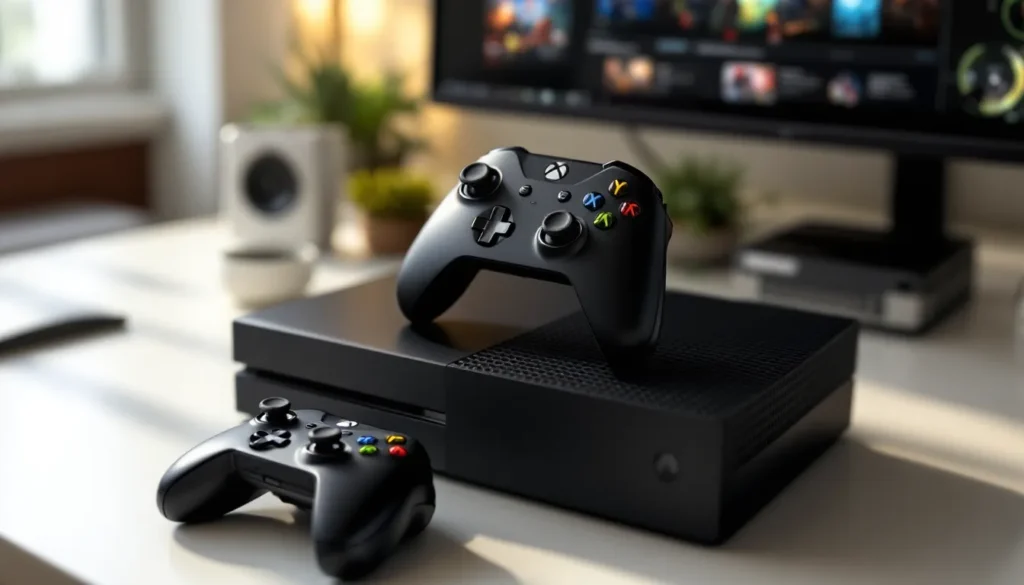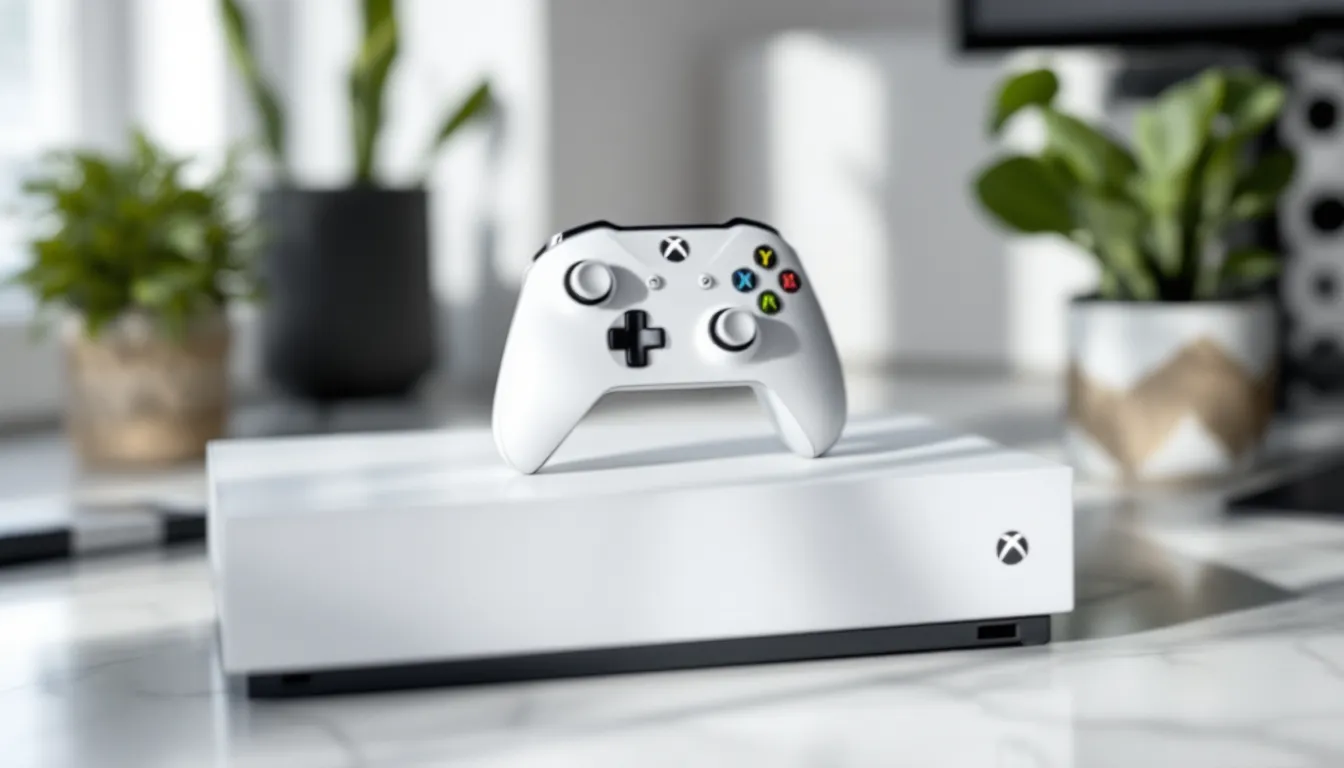

The Xbox One White isn’t just another color variant, it’s a statement piece that stood out from day one. While the standard black console dominated living rooms, Microsoft’s pearl white edition offered gamers a sleeker aesthetic without compromising performance. Whether you’re a collector eyeing this console in 2026, a nostalgic gamer revisiting the last generation, or someone curious about what the white model brings to the table, this guide covers everything you need to know. We’ll dig into what makes it special, how it stacks up against its black counterpart, maintenance essentials, and whether it’s still worth picking up in a world dominated by Xbox Series X
|
S.
Table of Contents
ToggleKey Takeaways
- The Xbox One White combines striking aesthetics with identical performance specs to the black model, making it a visual statement piece rather than a technical upgrade.
- White console owners must commit to regular maintenance using microfiber cloths and distilled water to prevent visible dust buildup and fingerprints that show more readily than on black models.
- In 2026, the white Xbox One remains affordable ($150–$250 secondhand) and pairs well with Game Pass for casual gaming and backward-compatible retro titles, though it cannot compete with Series X performance.
- Proper ventilation with at least 4 inches of clearance on all sides and optimal room temperature (below 75°F) are critical to preventing overheating and extending console lifespan.
- Collectors view the white Xbox One as more valuable than standard black units, with rare limited-edition bundles appreciating 10–15% annually, making it a worthwhile investment for gaming enthusiasts.
- The white Xbox One works best as a dedicated Game Pass terminal or retro gaming device, offering an intentional, curated aesthetic that justifies its place alongside current-generation consoles.
What Makes The Xbox One White Edition Special
Design And Aesthetics
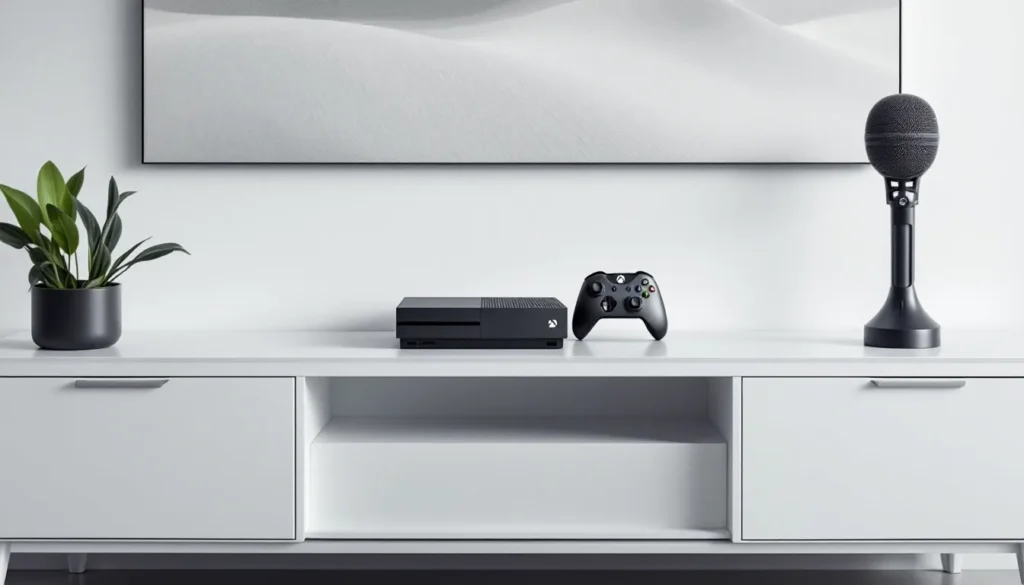
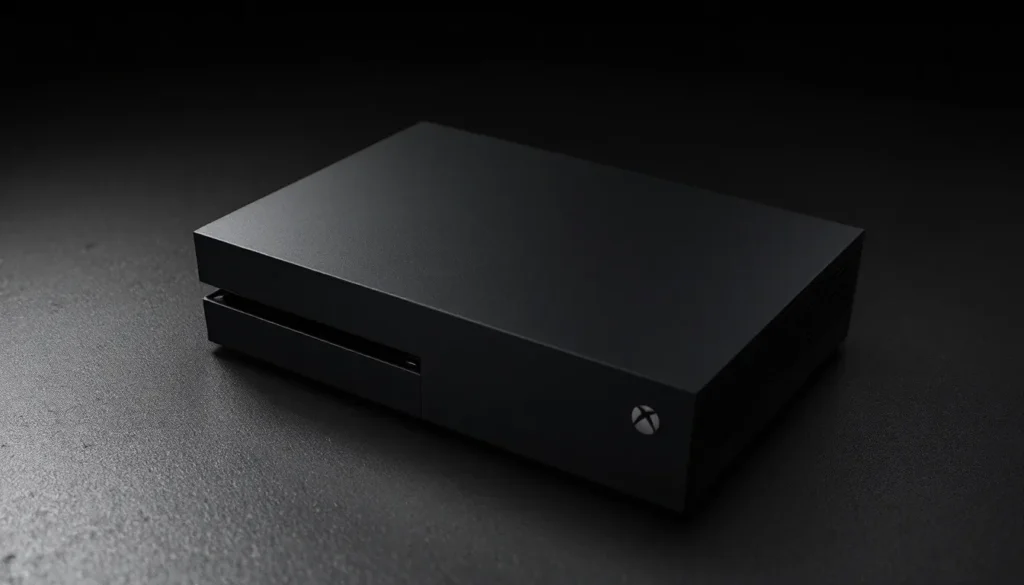
The Xbox One White drops the traditional gaming console aesthetic entirely. Instead of the expected all-black finish, Microsoft went bold with a glossy white exterior that catches light differently depending on your setup. The asymmetrical design, with the power button and disc drive offset to one side, meant the white finish became a focal point rather than background hardware.
The white model looks cleaner, more premium than its black sibling, and it became the console of choice for gamers who wanted their setup to match minimalist room designs. The matte white top panel contrasts with slightly different tones on the sides, creating subtle depth that actually photographs well for streaming or content creation. This matters more than it sounds: visibility during gameplay streams became an unspoken factor for content creators in the Xbox ecosystem.
Microsoft released the white edition alongside exclusive bundles and special editions, making it feel less like a basic color swap and more like a deliberate product variant. The console retained identical dimensions and internal layout to the black model, so the visual difference was purely external, but that difference resonated harder than expected with the gaming community.
Market Impact And Popularity
When the white Xbox One hit shelves, it sold consistently well among gamers who valued aesthetics alongside performance. Unlike some color variants that become forgotten footnotes, the white edition maintained relevance throughout the console’s lifecycle. Collectors actively sought it out, and secondary market prices often reflected demand.
The success of the white Xbox One proved that console design matters beyond specs. Gamers wanted choices. The white edition became the go-to console for players building themed setups, particularly those with RGB lighting or modern furniture. It dominated streaming setups where visual presentation counted as part of the brand.
By the time the Xbox Series generation launched, the white Xbox One had already cemented its status as more desirable than standard black units. Current market trends show collectors still chase specific white bundles, particularly limited editions paired with exclusive games or controller colors. The white edition essentially created a tier above the base model in the collector’s market, even though hardware performance remained identical.
Xbox One White Vs. Standard Black Console: Key Differences
Visual And Build Quality Comparison
The most obvious difference between the Xbox One White and the black standard model is, well, the color. But build quality tells a different story. Both models use the same internal chassis, same materials, same manufacturing standards. The white variant doesn’t sacrifice durability for aesthetics, it’s the same plastic and metal construction as its black counterpart.
Where things diverge slightly: the white finish shows dust and fingerprints more readily than black. Gamers discovered this quickly. A white console needs more frequent cleaning if you want it to stay looking pristine. The gloss finish on certain panels can smudge under the wrong touch, whereas black hides these imperfections naturally. This isn’t a flaw, just a reality of choosing white electronics.
Build quality-wise, both versions heat the same way, cool the same way, and suffer identical hardware vulnerabilities. The thermal paste, internal fans, and power delivery systems are interchangeable between colors. Failures that hit one color variant appear in the other, the red ring of death doesn’t discriminate based on exterior paint.
Performance And Specifications
Let’s be clear: the Xbox One White and black Xbox One perform identically. Specifications are locked across color variants. Both run at 1.75 GHz with 8 GB of GDDR5 RAM, handle 4K video output (with the S/X variants), and access the entire Game Pass library. Frame rates, resolution scaling, and load times match exactly.
Some collectors worry that white models might be newer or older production runs, potentially affecting reliability. In reality, Microsoft distributed white units throughout the console’s lifespan, meaning you’ll find both early and late manufacturing batches regardless of color. Hardware revision matters more than color, the S and X variants improved performance substantially, but the standard white Xbox One stayed at original specs.
Network connectivity, USB ports, Kinect compatibility, and optical drive functionality remain unchanged. Whether you’re gaming on white or black, you’re getting the same hardware performance. The only meaningful difference is how visible dust becomes on your console and how well it matches your room’s color scheme.
Game Library And Compatibility
Exclusive Titles For White Console Players
Here’s where the gaming news gets straightforward: there are no exclusive games for the white Xbox One. Period. Microsoft never released titles that only ran on white consoles or that performed differently based on exterior color. Game exclusivity works at the platform level (Xbox, PlayStation, Nintendo), not at the cosmetic variant level.
What you will find are exclusive bundled packages. Microsoft released white Xbox One S and X bundles with specific games like Halo 5, Gears of War, and exclusive Game Pass catalogs. If you can find an original white Xbox One bundle at retail, you might score the game included with it. But the game itself runs on any Xbox One color variant, it’s just packaged differently.
The broader Xbox ecosystem, Game Pass, backward compatible titles, cross-save functionality, works identically on white consoles. You get access to the same catalog of 400+ backward compatible titles from original Xbox and Xbox 360, whether your console is white, black, or any other variant.
Backward Compatibility And Digital Integration
The Xbox One White maintains full backward compatibility with previous Xbox generations. Disc-based games from the original Xbox and Xbox 360 run on your white console, though Microsoft’s backward compatibility program officially ended new additions in 2021. The library is frozen at its final list, but that’s still an incredible collection of titles spanning decades.
Digital integration works seamlessly. Your Game Pass subscription, digital game library, and achievements sync across any console you log into, color never factors into account verification or library access. Cross-play and cross-save functionality between Xbox consoles and PC remains unaffected by console color.
One practical consideration: if you’re buying a white Xbox One in 2026, ensure it has the latest system updates. Microsoft stopped pushing updates to the original Xbox One, but the S and X models continue receiving patches. Older white consoles might be stuck on final-gen firmware, which still runs modern games perfectly but misses out on future optimizations. The Xbox One on Amazon: A Comprehensive Overview provides details on current inventory and whether consoles come pre-updated.
Keeping Your White Xbox One In Top Condition
Cleaning And Maintenance Tips
Owning a white console means accepting that visible maintenance becomes part of the deal. Dust settles noticeably on white plastic, and fingerprints show clearly under direct light. Smart cleaning practices keep your white Xbox One looking fresh without damaging components.
Use a microfiber cloth, the same cloth you’d use for phone or TV screens, to wipe down the exterior weekly. This removes dust before it builds up and prevents fingerprint accumulation. For stubborn marks, lightly dampen the cloth with distilled water (never tap water: mineral deposits leave residue). Wipe gently and dry immediately.
Avoid commercial electronics cleaners on the white finish. Some contain solvents that can dull or discolor white plastic. Stick to water and microfiber cloths. For fan vents, a soft brush or canned air works fine, aim the air horizontally so debris blows outward, not further into the chassis.
Internally, Xbox One consoles collect dust on the heatsink even though sealed designs. Every 6-12 months, use canned air to blow out the rear fan exhaust vent. This prevents thermal throttling and keeps the white exterior from getting hot spots that might warp plastic. Don’t open the console yourself unless you’re comfortable with electronics: Microsoft’s repair services remain available even for older models, though costs may exceed replacement value.
Preventing Heat Damage And Dust Accumulation
The white Xbox One sits on the same thermal envelope as black models, roughly 100-110 watts under load, generating consistent heat. Where white consoles differ: heat visibility becomes a factor. A white console that’s discolored from concentrated heat spots looks worse than a black one, even if both are functioning identically.
Position your white Xbox One with at least 4 inches of clearance on all sides. This means vertical positioning works better in tight spaces, as the console needs room for air to flow around its sides and rear fan exhaust. Never place it directly against walls or inside cramped shelving. Poor airflow isn’t just about longevity, it causes thermal throttling that drops performance and increases noise from the cooling fan.
Keep the white console away from direct sunlight and heat sources. UV exposure can yellow white plastic over time, even indoors through windows. High ambient temperatures (above 75°F) force the console to work harder, reducing efficiency and lifespan. If your room runs warm, consider a small USB fan positioned to push air across the rear exhaust vent, this costs pennies and extends console life measurably.
Dust filters don’t exist for Xbox One, so prevention matters more than cure. Close curtains to reduce dust circulation, and avoid placing the console near air vents where dust concentrates. The Xbox One S Hard Drive: A Comprehensive Guide covers storage management, which relates to system performance and heat output, keeping your drive optimized reduces unnecessary thermal stress.
Storage Solutions For Your Gaming Setup
Vertical Vs. Horizontal Display Options
The Xbox One White ships with both vertical and horizontal stand options, giving you flexibility in setup. The vertical mount (standing the console upright) saves table space and works well for tower-based entertainment centers or shelving. The horizontal orientation (lying flat) is what most gamers choose and what the console is designed for primarily.
Vertical mounting carries a minor risk: if the console tilts forward and falls, it hits hard. The white plastic will likely crack visibly, and internal components can sustain damage. Most players opt for vertical only if they’ve got solid shelf support and confidence in placement stability. Horizontal mounting eliminates this risk entirely, the console won’t tip unless something dramatically shifts your setup.
White consoles positioned vertically look stunning in minimalist setups. They become visual centerpieces rather than tucked-away components. But, horizontal placement keeps the white finish cleaner since dust settles more evenly across a flat surface versus collecting on vertical edges and in gaps where the stand connects.
Consider your shelving depth before committing to vertical. The Xbox One measures roughly 31.5 cm (12.4 inches) deep and 26.5 cm (10.4 inches) wide. Shallow shelves force vertical positioning, which works fine if sturdy. Deeper shelves allow horizontal mounting with room to spare for ventilation around the console.
Cooling And Ventilation Best Practices
The white Xbox One’s location within your setup determines long-term performance more than any other factor. The console draws air from the sides and bottom, then exhausts through the rear fan outlet. Every inch of clearance you provide reduces strain on the internal cooling system.
Target spacing: at least 4 inches on all sides, and 6 inches behind the console for exhaust airflow. This seems excessive until you consider that enclosed cabinets can trap heat, forcing the console’s internal thermostat to trigger fan speed increases. A faster fan means more noise and accelerated wear on bearing components. Strategic spacing costs nothing and extends lifespan by years.
If you’re mounting the white console in an entertainment center, position it on a shelf with nothing above it. Stacking other components on top destroys airflow and creates heat pockets. Some gamers use small adhesive feet or rubber spacers to lift the console slightly off the shelf surface, this allows air to circulate underneath, which noticeably reduces operating temperature.
Room temperature matters more than people think. A white Xbox One in a 75°F room will run cooler than the same console in an 85°F room. If your gaming space is naturally warm, consider running a ceiling fan or opening a window during gaming sessions. Environments above 85°F cause the console’s thermal management to work overtime, and that’s when failures happen.
Monitor your console’s temperature indirectly: if the fan becomes audibly louder during gameplay, heat buildup is occurring. Increase clearance, reduce ambient temperature, or use external airflow assistance. The Refurbished Xbox One guide covers thermal considerations in older units, which applies to any white console you’ve owned for years.
Accessory Recommendations For White Xbox One
Controllers, Headsets, And Gaming Peripherals
Pairing the right accessories with your white Xbox One enhances both aesthetics and functionality. Microsoft released white controllers to match the console, creating a cohesive setup. The Xbox One White Controller (or any variant with matte white finish) pairs seamlessly with the console and maintains the clean aesthetic across your entire gaming station.
Headset choice matters less aesthetically but loads more practically. Competitive players lean toward the SteelSeries Arctis 9X (wireless, optimized for Xbox), while casual gamers often pick the standard Xbox Wireless Headset. Neither matches white visually, but black headsets actually contrast pleasingly against white consoles, it creates visual balance rather than a monotone look.
Keyboard and mouse setups work fine on Xbox One through the Xbox One Controller Adapter: functionality, though limited. Most games don’t support keyboard input, so this matters only for menu navigation and specific titles. If you’re running a white console setup, wireless keyboard and mouse in white finishes exist from Logitech and Corsair, they’ll maintain aesthetic consistency even though the Xbox ecosystem doesn’t lean heavily on keyboard gaming.
External storage remains the most practical accessory. The Seagate Game Pass for Xbox (2TB external drive) connects via USB and expands game library storage. White console owners might hunt for white external drives, they’re rare, but some white-cased SSDs exist if aesthetic matching matters to your setup.
Aesthetic Matching And Customization Options
Custimization options for white Xbox One consoles exist but remain limited compared to PC gaming rigs. You can’t paint or wrap the console without voiding warranty and risking hardware damage from trapped heat. But, you can control surrounding aesthetics.
White LED lighting around your console enhances the minimalist look without modifying the hardware. Bias lighting placed behind your entertainment center (think Nanoleaf or LIFX) creates ambiance while supporting the white finish. Warm white lighting (2700K) looks professional: cool white (5000K+) leans toward streaming setups.
Cable management becomes more visible with a white console, black cables stand out against white plastic. Run cables through white or clear sleeves, or conceal them behind entertainment centers entirely. This small detail separates amateur setups from intentional design choices.
Skin and case options exist for Xbox One controllers. White consoles pair beautifully with white or transparent controller cases, and the Xbox One Black: Unleash article covers controller customization broadly. The contrast of a black controller with white console creates intentional visual balance if you’re building around that theme.
Where To Buy And Current Pricing In 2026
Buying Guide For Collectors And Gamers
Finding a white Xbox One in 2026 means exploring secondary markets and specialty retailers. Microsoft discontinued original production years ago, so retail availability is minimal. Your best bets: eBay, Facebook Marketplace, local classifieds, and specialty gaming retailers.
Pricing fluctuates based on condition, included accessories, and whether it’s a standard white console or a limited edition bundle. A used white Xbox One in good condition typically runs $150-$250, depending on storage capacity (the standard 500GB model costs less than the 1TB variant). Original white S or X models command higher prices, expect $300-$500 for working units in good cosmetic condition.
When buying secondhand, verify the console’s functionality before completing the sale. Power it on, listen for unusual noises (a clicking or grinding fan suggests hardware failure), and check for visual damage or heat discoloration. Ask the seller about the original hard drive capacity and whether it’s been serviced or repaired, previous repairs sometimes indicate recurring issues.
Bundle deals occasionally surface: a white console bundled with games, controllers, and a Kinect sensor can offer better value than piecemeal purchases. Xbox One on eBay: listings rotate constantly, making eBay a reliable source for variety, though inspection before purchase becomes critical.
Certified refurbished units from reputable sellers (sometimes available through Amazon or GameStop’s used section) come with limited warranties, typically 30-90 days. These cost less than private sales but more than as-is purchases, and they’ve been tested for functionality before resale.
Value Proposition And Long-Term Investment
The white Xbox One holds value better than black standard models, primarily because it’s perceived as more desirable for collecting. A black console depreciates steadily: a white console maintains its value longer and occasionally appreciates if it’s a rare bundle variant.
For gamers in 2026, the white Xbox One offers solid value if you want retro gaming with a modern aesthetic. Game Pass integration means access to hundreds of titles, and backward compatibility lets you play decades of Xbox history on one white machine. The console costs less than high-end gaming PCs or current-generation consoles, making it budget-friendly for casual gaming or nostalgia revisiting.
Collectors see different value. Limited edition white bundles, particularly those paired with exclusive games or silver controllers, command premium prices. If you snag one of these variants, holding onto it might prove worthwhile. According to recent collector forums, rare white Xbox One bundles have appreciated 10-15% annually, though this varies wildly based on condition and specific edition.
The long-term investment angle depends on your intentions. If you’re buying to play games, the white Xbox One is cost-effective but outdated compared to Series X
|
S. If you’re collecting or building a retro gaming setup, the white console’s aesthetic value and relative scarcity make it a worthwhile investment. Research specific bundle variants on collector sites before purchasing, some white editions are far rarer than others, and identifying which you’re buying matters significantly. The Refurbished Xbox One S: A Comprehensive Guide details similar considerations for the S variant, which applies to original models.
Common Issues And Troubleshooting Guide
Hardware Problems And Solutions
The white Xbox One suffers the same hardware vulnerabilities as black models since internal components are identical. Common issues include overheating, controller connectivity problems, disc drive failures, and HDMI port degradation.
Overheating: The console shuts down to prevent damage when internal temperature exceeds safe thresholds. Solution: clear dust from vents using canned air, ensure 4+ inches of clearance on all sides, and reduce ambient room temperature. If overheating persists, the internal thermal paste may have dried out, professional service is required, though repair costs often exceed replacement value for older consoles.
Controller Disconnect: Controllers drop connection sporadically or require constant re-pairing. First, restart the console and controller. If that fails, reset the controller by holding the sync button for 15 seconds. Persistent issues usually indicate interference (check for nearby wireless routers, Bluetooth devices, or USB 3.0 peripherals) or dying controller batteries.
Disc Drive Failure: The console won’t read discs, or the disc drive makes grinding noises. This is a death sentence for disc-based gaming. Digital games still work fine, but physical media becomes inaccessible. No practical repair exists for consumers, you’re looking at a replacement drive ($50-80 plus labor) or buying a new console. Since we’re in the digital era, this matters less than it did during physical game dominance.
HDMI Port Issues: The console intermittently loses video signal, or the picture flickers constantly. Inspect the HDMI port for bent pins (if using a third-party cable) or internal corrosion (if from power surges). Try a different HDMI cable and port on your display. If that doesn’t resolve it, the port is likely damaged internally. Repair requires professional reballing of the HDMI connector chip, expensive and rarely worth the cost.
Software Updates And Performance Optimization
The original white Xbox One stopped receiving updates, so your console likely runs on final-generation firmware. This isn’t dangerous, the system is stable and secure. But, older firmware occasionally causes edge-case issues with specific digital games or services.
Manually check for updates: Settings > System > Updates. If your white console connects to the internet but doesn’t install the latest update automatically, something is blocking the process. Common culprits: limited storage space (the console needs 2GB+ free), network connectivity issues, or a corrupted update cache.
If updates fail repeatedly, reset your console’s settings: Power off completely, unplug from power for 30 seconds, then power back on. This clears temporary cache files that sometimes corrupt. Alternatively, network connection problems might be the issue, reset your router, ensure the white console is within reasonable WiFi range, or switch to wired Ethernet if available.
Performance optimization revolves around storage management. Install games to the console’s hard drive or external storage (internal console is primary). Games running from internal storage load faster and perform more consistently. Full hard drives cause frame rate drops and stuttering, so manage storage like inventory: regularly delete games you’re not actively playing, and uninstall old patches after games update.
Clear the cache monthly: Power off the white console, unplug for 10 seconds, then power back on. This clears temporary data and often resolves minor stuttering, hanging menus, or connection hiccups. It’s a placebo fix for many issues, but the process takes seconds and occasionally genuinely helps.
For stubborn performance issues, factory reset remains the nuclear option. This erases all local data and reinstalls the base system, it’s the software equivalent of cleaning every bit of dust from hardware. Only do this if nothing else works, and ensure you back up game saves to the cloud first (Settings > System > Storage > Manage Storage > Games and Apps > Cloud Saves).
According to TechRadar’s reviews of aging consoles, performance issues often stem from accumulated cache and storage fragmentation rather than hardware failure. A few hours of maintenance and optimization can extend a white Xbox One’s usable lifespan considerably.
Should You Invest In An Xbox One White Console Today
The decision to buy a white Xbox One in 2026 hinges on your gaming priorities and budget. If you’re chasing the latest graphics and raw performance, skip it. The Series X absolutely demolishes the original Xbox One in every technical metric, faster loading, higher frame rates, and native 4K gaming.
But gaming isn’t always about cutting-edge performance. If you want to explore last-generation titles at a fraction of the cost, the white Xbox One delivers. Game Pass integration means $10-20 monthly unlocks 400+ games, including most of what came out during the Xbox One era. You’re paying $150-250 upfront plus subscription fees versus $300-500 for a used Series X or $500+ new.
Collectors have a clearer argument. The white Xbox One has become scarce, more visually appealing than black variants, and holds value better than standard models. Rare white bundles appreciate steadily. If you’re building a retro gaming collection or want a unique piece of Xbox history, the white console justifies investment today.
The nostalgia factor matters too. Original Xbox One games like Halo 5, Gears of War, and Forza still hold up. If you want to experience that era without hunting down separate hardware, the white console handles everything fine. Backward compatibility means you can play games spanning three Xbox generations.
Consider this: the white Xbox One makes sense if you’re willing to accept that you’re buying retro hardware. It’ll deliver 1080p-1440p at 30-60 FPS depending on the game, which feels dated compared to Series X but remains perfectly playable for casual gaming. If that hits your expectations and budget, you’ll be happy with the purchase. If you’re hoping for competitive 120+ FPS performance or next-gen game support, look elsewhere.
The white color adds intangible value to the experience. Some gamers find that aesthetic appeal makes retro gaming feel intentional and curated rather than like settling for outdated hardware. That psychological factor shouldn’t be dismissed, if the white console makes you excited to game rather than feel like you’re making compromises, it’s the right choice.
One more angle: the white Xbox One works as a dedicated Game Pass terminal for specific genres. If you mainly play cozy farming sims, narrative indie titles, and classic games that don’t demand cutting-edge performance, you’ll experience no meaningful difference between original Xbox One and Series X. In that context, saving $300+ on hardware while accessing the same library makes exceptional financial sense.
Check Digital Trends’ recent console buying guides before committing, they frequently update recommendations as new deals surface and pricing shifts. The white Xbox One occasionally dips to compelling prices during market fluctuations, and knowing current trends helps you negotiate or identify when to pull the trigger on a purchase.
Conclusion
The Xbox One White remains a compelling piece of gaming hardware in 2026, but for specific use cases. It’s not a universal recommendation, anyone chasing current-generation performance needs a Series X or S. But, for collectors, nostalgia seekers, and budget-conscious gamers, the white console hits a sweet spot that justifies its place in your setup.
What makes the white edition stand out isn’t raw power, it’s aesthetic value combined with historical significance. The console proved that design matters as much as specs, and that lesson shaped how Microsoft approached the Series generation. Owning a white Xbox One connects you to a meaningful moment in console gaming history.
Maintenance matters more than most gamers realize. The white finish demands more attention than black to stay looking pristine, but the payoff is hardware that looks intentional and curated in your gaming space. Proper cooling, regular cleaning, and smart storage solutions extend lifespan and preserve the console’s visual appeal.
If you’re buying in 2026, expect to hunt the secondary market. Prices remain reasonable, and availability is more stable than it was a few years ago as consoles saturate collector markets. Verify condition before purchasing, check for specific bundle variants if collecting matters to you, and factor in Game Pass subscription costs when calculating total investment.
Eventually, the white Xbox One works best as part of a broader gaming ecosystem rather than a primary console. Pair it with a Series X for modern gaming and let the white console handle backward compatibility and Game Pass exploration. Or lean fully into retro gaming, accept the 1080p-1440p performance ceiling, and enjoy the white aesthetic as part of your intentional choice to step back in time.
The white Xbox One isn’t the most powerful console, but it’s arguably the most photogenic. And sometimes, that matters more than the spec sheet.